AI Agents Are Replacing Entire Workflows. Here's How to Build Your First One.
Gartner says 40% of SMBs will deploy AI agents by year-end. Most will fail. We break down the ones that work, the architecture behind them, and how to build your first digital workforce without burning six figures.

A logistics company in Dubai came to us last quarter with a problem that sounded simple: their ops team was spending 11 hours a day copy-pasting shipment data between four systems. Email to CRM. CRM to tracking spreadsheet. Tracking spreadsheet to client notification. Client notification back to CRM with delivery status.
We built an AI agent that handled the entire chain. Not a chatbot. Not a Zapier zap. A system that reads incoming emails, extracts shipment details, updates the CRM, triggers tracking updates, and sends personalized client notifications — all without human intervention. Total build time: five weeks. The ops team went from 11 hours of data entry to 45 minutes of exception handling.
That's the promise of AI agents. Not replacing humans. Replacing the work humans shouldn't be doing in the first place.

What an AI Agent Actually Is (And Isn't)
The term "AI agent" gets thrown around so loosely that it's become almost meaningless. Every chatbot vendor now calls their product an "agent." So let's be precise.
A chatbot responds to questions. An AI agent takes action.
The difference is architectural. A chatbot has one capability: it processes input and generates text output. An AI agent has three additional capabilities that change everything:
Memory. It remembers context across interactions. It knows that the shipment it processed this morning is related to the client inquiry coming in this afternoon.
Tools. It can call APIs, query databases, send emails, update CRMs, trigger workflows. It doesn't just tell you what to do — it does it.
Reasoning. It can break complex requests into steps, decide which tools to use, handle errors, and adjust its approach when something doesn't work.
That combination — memory plus tools plus reasoning — is what separates a glorified search bar from something that actually replaces a workflow.
The Market Reality: Big Numbers, Bigger Failures
Gartner projects that 40% of enterprise applications will feature task-specific AI agents by the end of 2026, up from less than 5% in 2025. Deloitte's latest report shows enterprise AI agent deployments returning 171% ROI on average.
But here's the number that doesn't make the headlines: Gartner also predicts that over 40% of agentic AI projects will be canceled or scaled back by 2027 due to lack of governance frameworks and unrealistic expectations.
The pattern is identical to what happened with chatbots in 2024, RPA in 2020, and blockchain in 2018. Massive hype, massive investment, and the companies that succeed are the ones who ignore the hype cycle and focus on specific, measurable problems.
Four AI Agent Use Cases That Actually Pay Back
We've deployed AI agents across 30+ client projects. These four categories have the most consistent ROI.
1. Customer Service Triage and Resolution

This is the most proven use case and it's not close. An AI agent that sits between your customers and your support team can handle 40-60% of incoming tickets without human intervention.
Not by giving generic responses. By actually resolving issues. It checks order status in your fulfillment system. It processes return requests by updating your OMS. It answers product questions by searching your knowledge base with RAG. It escalates to the right human when it hits its confidence threshold.
We built this for an e-commerce client processing 800+ tickets per day. The agent resolved 52% of tickets autonomously. Average first-response time dropped from 4.2 hours to 11 seconds. CSAT scores went up, not down, because customers got accurate answers instantly instead of waiting half a day for a human to look up the same information.
The math: If you're spending $8,000/month on support staff handling repetitive tickets, a 50% automation rate saves $48,000/year. Implementation cost for a well-built system: $500-$4,000. Payback period: under 1 month.
When it doesn't work: If your support issues require subjective judgment, emotional intelligence, or access to systems that don't have APIs. An AI agent can process a return. It can't calm down a customer who's been burned three times.
2. Lead Qualification and Sales Routing
Every sales team we've worked with has the same problem: leads come in, sit in a queue, and by the time someone responds, the prospect has gone cold or talked to a competitor.
An AI agent fixes the time gap. It responds to inbound leads within seconds — not with a generic "thanks for reaching out" template, but with a qualified response based on the lead's company size, industry, stated needs, and your actual service offerings.
It asks clarifying questions. It scores the lead against your ICP criteria. It books qualified prospects directly into your sales team's calendar. It routes enterprise leads to senior reps and SMB leads to the appropriate tier. It logs everything to your CRM with full context so your sales rep walks into the call already briefed.
We deployed this for a B2B SaaS client. Their lead-to-meeting conversion rate went from 12% to 31%. Not because the AI was better at selling — because it eliminated the 6-hour average response time that was killing their pipeline.
When it doesn't work: High-touch enterprise sales where the first interaction needs to be a senior human. Complex technical sales where the qualification questions themselves require domain expertise.
3. Document Processing and Data Extraction
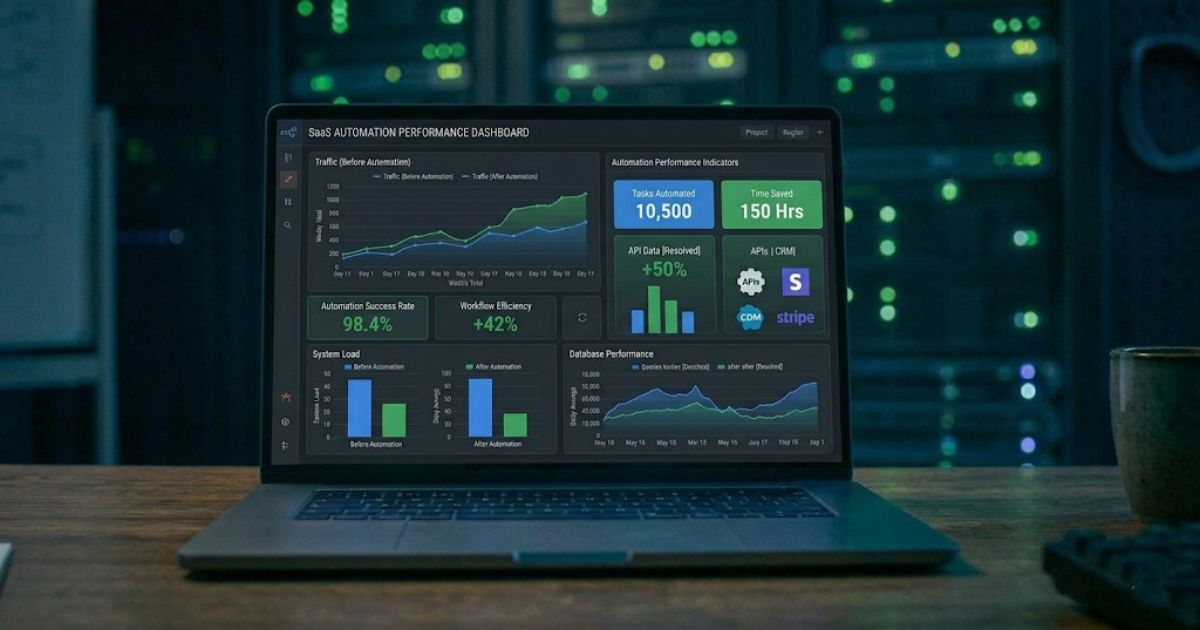
This is the least glamorous category and the one with the shortest payback period. An AI agent that processes invoices, contracts, forms, or reports can extract structured data, validate it against business rules, flag exceptions, and push clean data into your systems.
Modern multi-modal AI handles scanned PDFs, photos of documents, handwritten notes, and mixed-format files. Accuracy rates have crossed the 95% threshold for most standard business documents, which means straight-through processing is viable for the majority of cases with human review only for edge cases.
We built a document processing agent for a financial services firm that was manually processing 2,000+ invoices per month. Three full-time staff spent their entire day on data entry. The agent now processes 94% of invoices autonomously. The three staff members were reassigned to vendor relationship management — work that actually requires human judgment.
The math: Three FTEs at $4,000/month each = $144,000/year. Agent handles 94% of volume. Net savings: ~$120,000/year after accounting for the 6% that still needs human review. Implementation cost: $5,000-$15,000. Payback: under 2 months.
4. Multi-System Workflow Orchestration
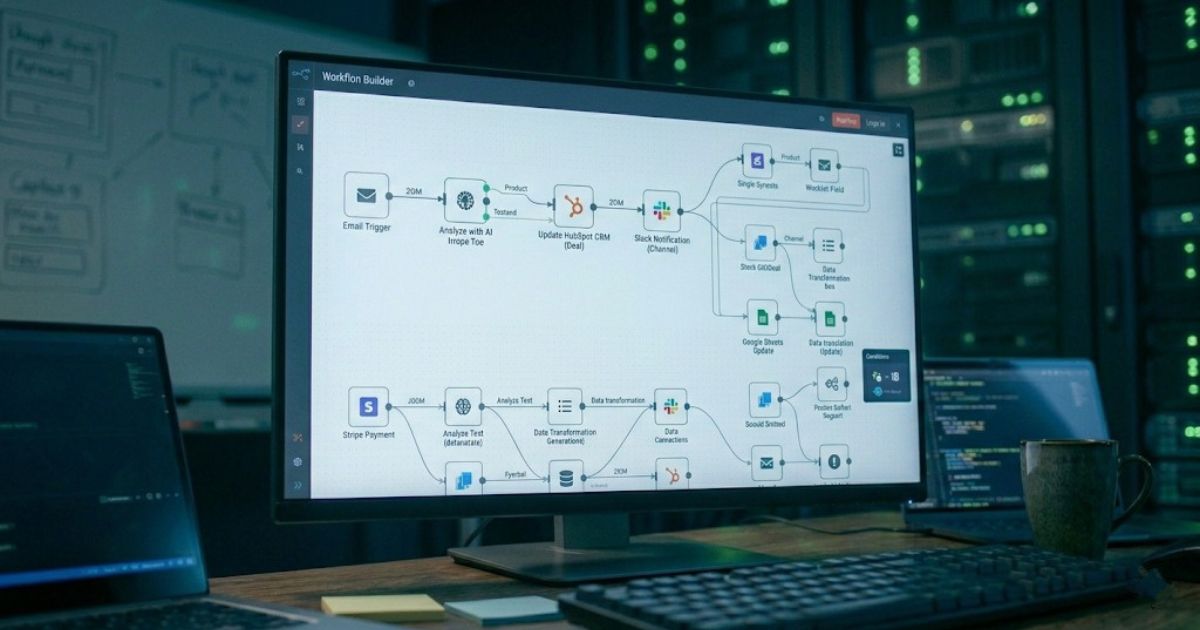
This is the category with the widest range of outcomes — and where the most money gets wasted. The promise is compelling: an AI agent that connects your CRM, email, project management, accounting, and communication tools into a unified workflow.
The reality is that this only works well when the workflow is clearly defined and the decision logic is explicit. "When a deal closes in the CRM, create a project in our PM tool, generate an invoice, notify the delivery team on Slack, and schedule the kickoff call" — that's a great AI agent use case.
"Figure out the best way to onboard new clients" — that's a terrible one. If you can't draw the workflow on a whiteboard, an AI agent can't execute it.
We build most of our workflow orchestration agents on n8n because its execution-based pricing means a 20-node workflow costs the same as a 2-node workflow. But the platform matters far less than the process design. A well-designed workflow on any platform beats a poorly designed one on the best platform.
The best first workflow agent project: pick the process your team complains about most. Map every step. Identify which steps require human judgment and which are mechanical. Automate the mechanical steps first. Add AI decision-making incrementally.
The Architecture Behind Agents That Work
Every production AI agent we've built follows the same architecture pattern:
Orchestration layer. This is the brain. It receives triggers (a new email, a form submission, a scheduled time), decides what to do, and coordinates the execution. We typically build this on n8n or custom Node.js services depending on complexity.
LLM layer. The reasoning engine. It interprets unstructured input, makes decisions, and generates responses. We use GPT-4o for most production agents because the cost-performance ratio is right. Claude for tasks requiring longer context. Open-source models for clients with data sovereignty requirements.
Tool layer. The hands. APIs to your CRM, email service, database, file storage, and whatever else the agent needs to touch. Each tool is a discrete function the LLM can call.
Memory layer. Short-term context for the current conversation or workflow. Long-term storage for patterns, preferences, and historical data. We typically use a vector database for semantic search and a traditional database for structured records.
Guardrails layer. This is what separates a demo from a production system. Input validation, output filtering, confidence thresholds, human-in-the-loop triggers, audit logging, and rate limiting. Skip this layer and you'll end up in the 40% that gets canceled.
How to Evaluate Whether You Need an AI Agent
Before spending anything, answer these questions:
What's the manual cost? Hours per week multiplied by loaded hourly rate, multiplied by 52. If you can't calculate this, stop. You're not ready.
Is the process well-defined? Can you draw the workflow from trigger to completion on a whiteboard? If there are steps that depend on "it depends" judgment calls, those steps stay human for now.
What's the failure mode? An AI agent that sends a wrong Slack message is annoying. An AI agent that sends the wrong invoice amount is a legal problem. Start with low-stakes processes.
Do the systems have APIs? An AI agent is only as useful as the systems it can connect to. If your critical data lives in Excel files on someone's desktop, you have a different problem to solve first.
What's your data quality? AI agents mirror your data. If your CRM is full of duplicates and your knowledge base hasn't been updated since 2024, the agent will confidently serve stale or contradictory information.
The Build vs Buy Decision

There are three paths to deploying an AI agent:
No-code platforms (Botpress, Voiceflow, custom GPTs). Good for simple, single-purpose agents. Chatbots that answer FAQs from a knowledge base. Lead capture forms with basic qualification. Cost: $50-500/month. Limitation: falls apart when you need custom integrations, complex logic, or multi-step workflows.
Workflow automation + AI (n8n, Make, Zapier with AI steps). Good for multi-step workflows with AI decision points. Our sweet spot for most client projects. Cost: $50-200/month for the platform, $500-$4,000 for custom development. Limitation: constrained by the platform's capabilities. Some edge cases require custom code.
Custom development (LangChain, CrewAI, AutoGen, or custom framework). Full control, full complexity, full cost. Good for agents that need to handle highly specific domain logic, process sensitive data on-premise, or integrate with legacy systems. Cost: $5,000-$150,000+. Limitation: requires ongoing engineering maintenance.
Our recommendation for most businesses: start with path two. Build your first agent on n8n with AI nodes. Prove the ROI. Then decide whether you need custom development for scale or complexity.
Common Mistakes We See
Starting with the hardest problem. Your first AI agent should not be the one that replaces your most complex workflow. Start with something boring and well-defined. Prove the architecture works. Then tackle harder problems.
Skipping the guardrails. Every week we hear about another company whose AI agent went rogue — sending wrong emails, creating duplicate records, or exposing sensitive data. This happens when teams skip the safety layer to ship faster. Don't.
Over-automating. The goal isn't to remove all humans from the loop. The goal is to remove humans from the parts of the loop where they add no value. The best agents handle the 80% that's mechanical and route the 20% that requires judgment to the right person with full context.
Building without measuring. If you can't measure the before state, you can't prove the after state. Instrument everything. Track resolution rates, processing times, error rates, and escalation volumes. We set up dashboards before we write the first line of agent code.
One Takeaway
The best first AI agent project isn't the most impressive one. It's the one where you can calculate the manual cost today, draw the workflow on a whiteboard, and survive a wrong answer without serious consequences.
Build that one. Measure the results. Use the data — not vendor promises — to decide what to automate next.
Seventy-four percent of companies that deployed AI agents to production report achieving ROI within the first year. The gap between them and the 40% that fail isn't budget or technology. It's discipline: start narrow, measure honestly, and expand based on evidence.
We've built AI agent systems for 30+ clients across customer service, sales, document processing, and workflow automation. If you're trying to figure out whether an AI agent makes sense for your business — or which process to automate first — book a free strategy call. We'll assess your workflows and tell you honestly whether the ROI is there.